Download

See Pricing

No need to install: PhysicsGo also works in the browser. Sensors over USB or Bluetooth need Chrome or Edge in the browser.

Computational modeling for secondary school physics

Build the model.
Watch the physics happen.

PhysicsGo is a modeling app for physics lessons. Students write a model as equations or draw it as a diagram, run it, and test it against their own measurements. Teachers set the assignments, follow every class and give feedback in the same place.

Equation models

Write the physics. Run it.

Students describe a system the way they would on paper: start values first, then the equations solved every step. PhysicsGo runs the model with Runge-Kutta 4, plots any quantity and animates the result. Sliders let them change the mass or spring constant and run it again.
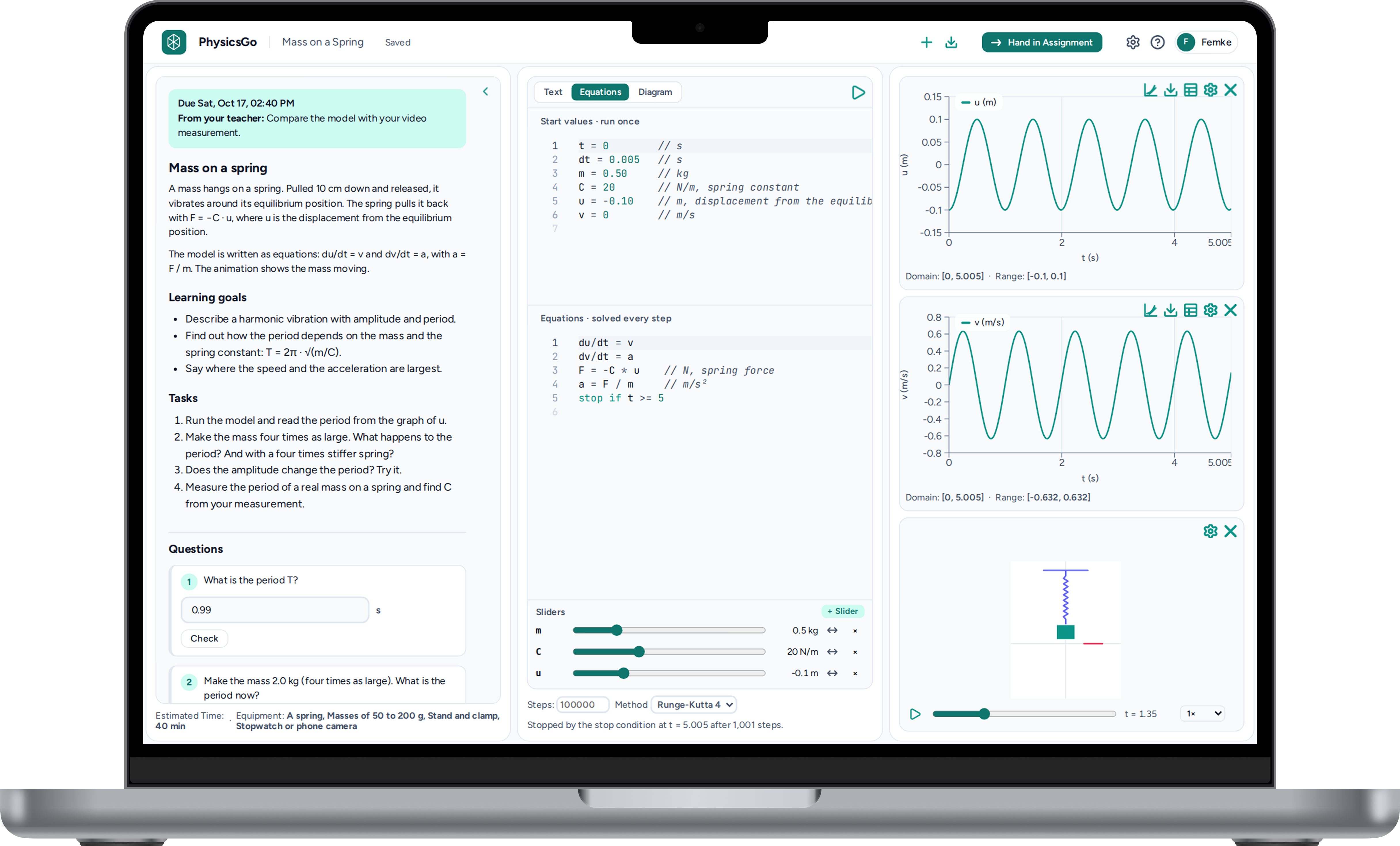
A mass-on-a-spring assignment in PhysicsGo, with the model's equations, sliders, graphs of position and velocity, and an animation of the spring.

Classes

Every class at a glance.

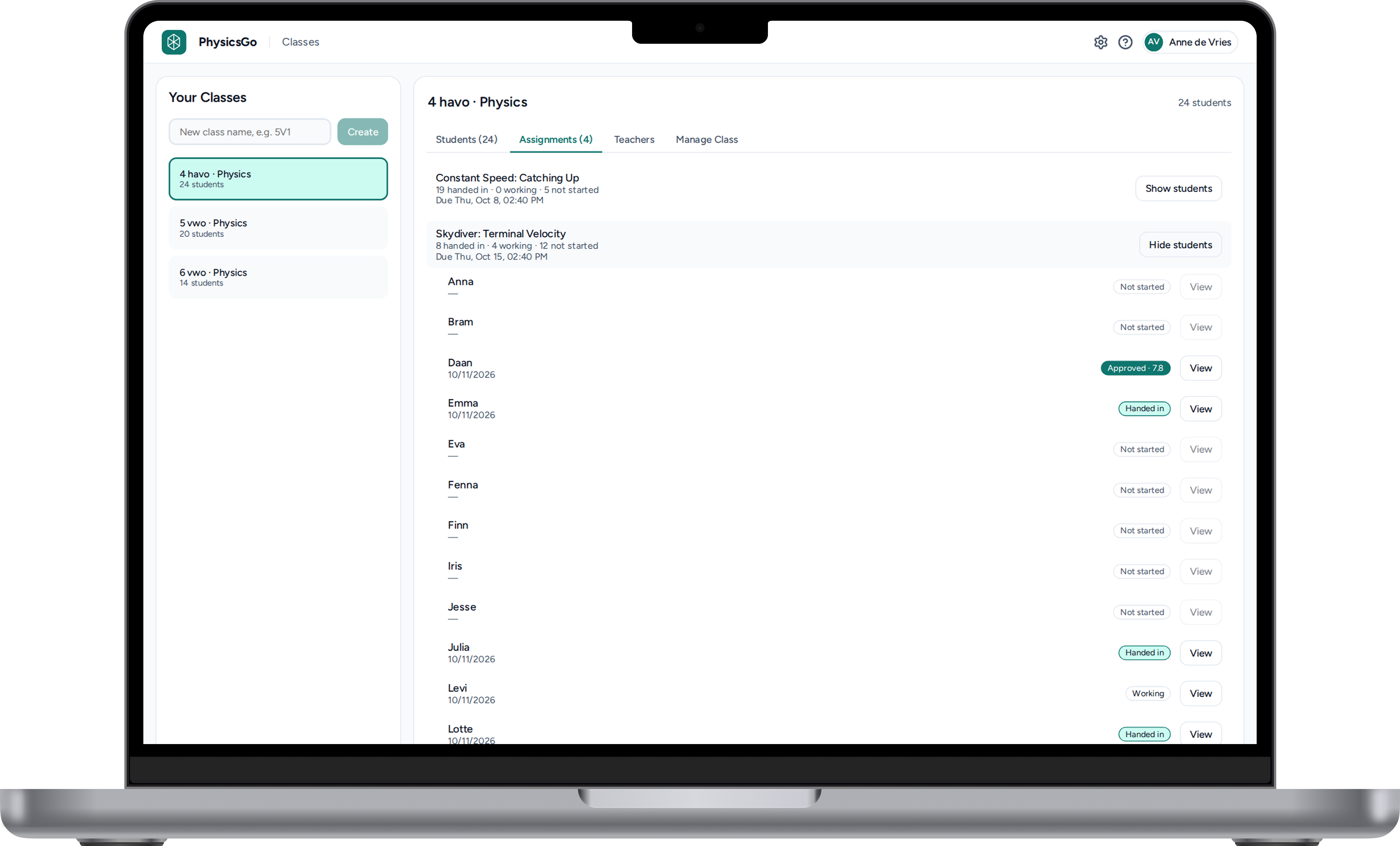
See who has handed in, who is still working and who hasn't started yet, for every assignment and every student. One click opens a student's work.

The Classes screen for a 4 havo physics class, listing each student's progress on the Terminal Velocity assignment.

Feedback

Feedback right next to the model.

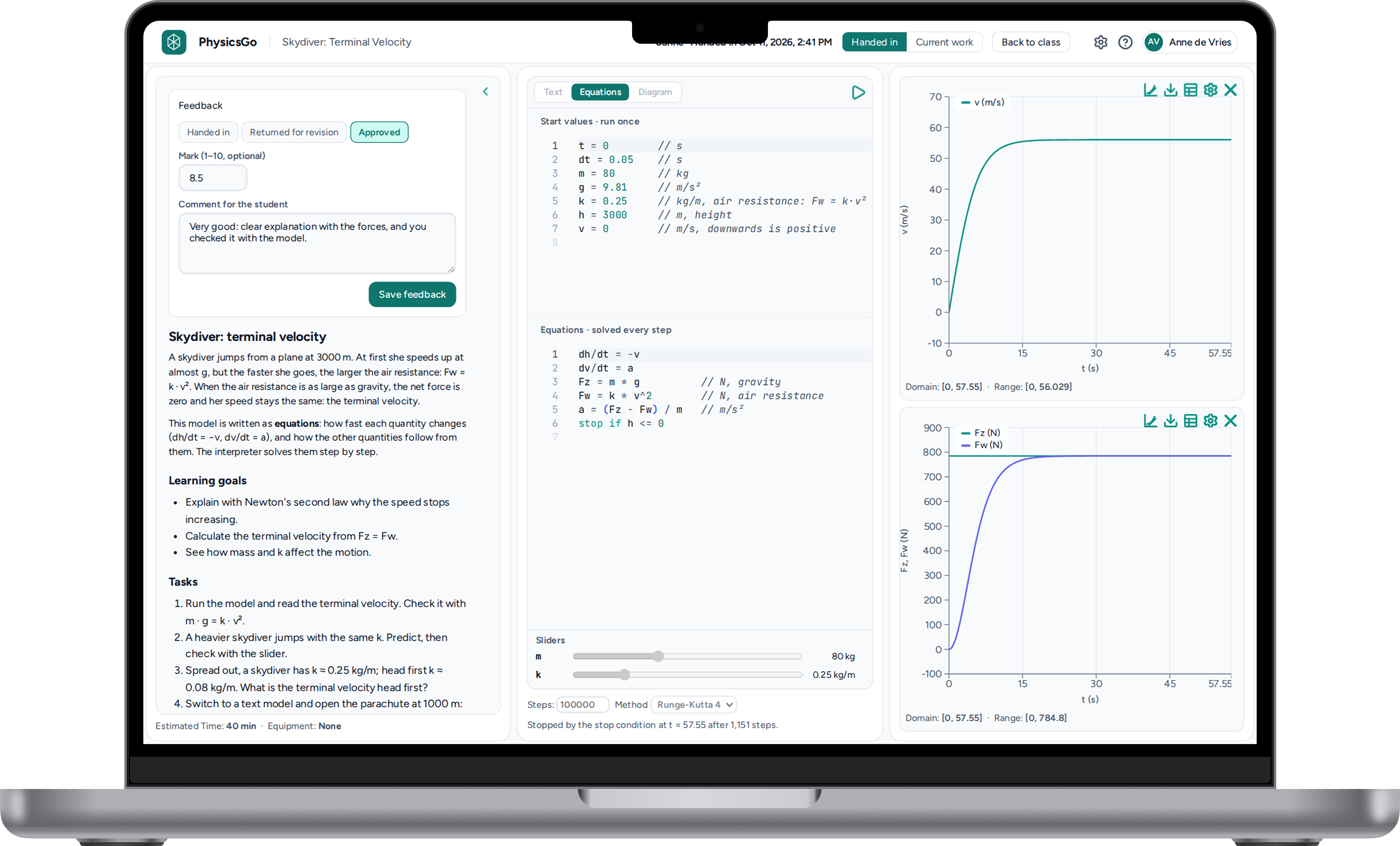
Open a hand-in and the student's model, graphs and answers are all there. Approve it or return it for revision, give a mark from 1 to 10 and leave a comment without switching screens.

A teacher reviewing a terminal velocity hand-in, with the feedback panel, mark and comment beside the student's model and graphs.

Measurements

Bring the real world in.

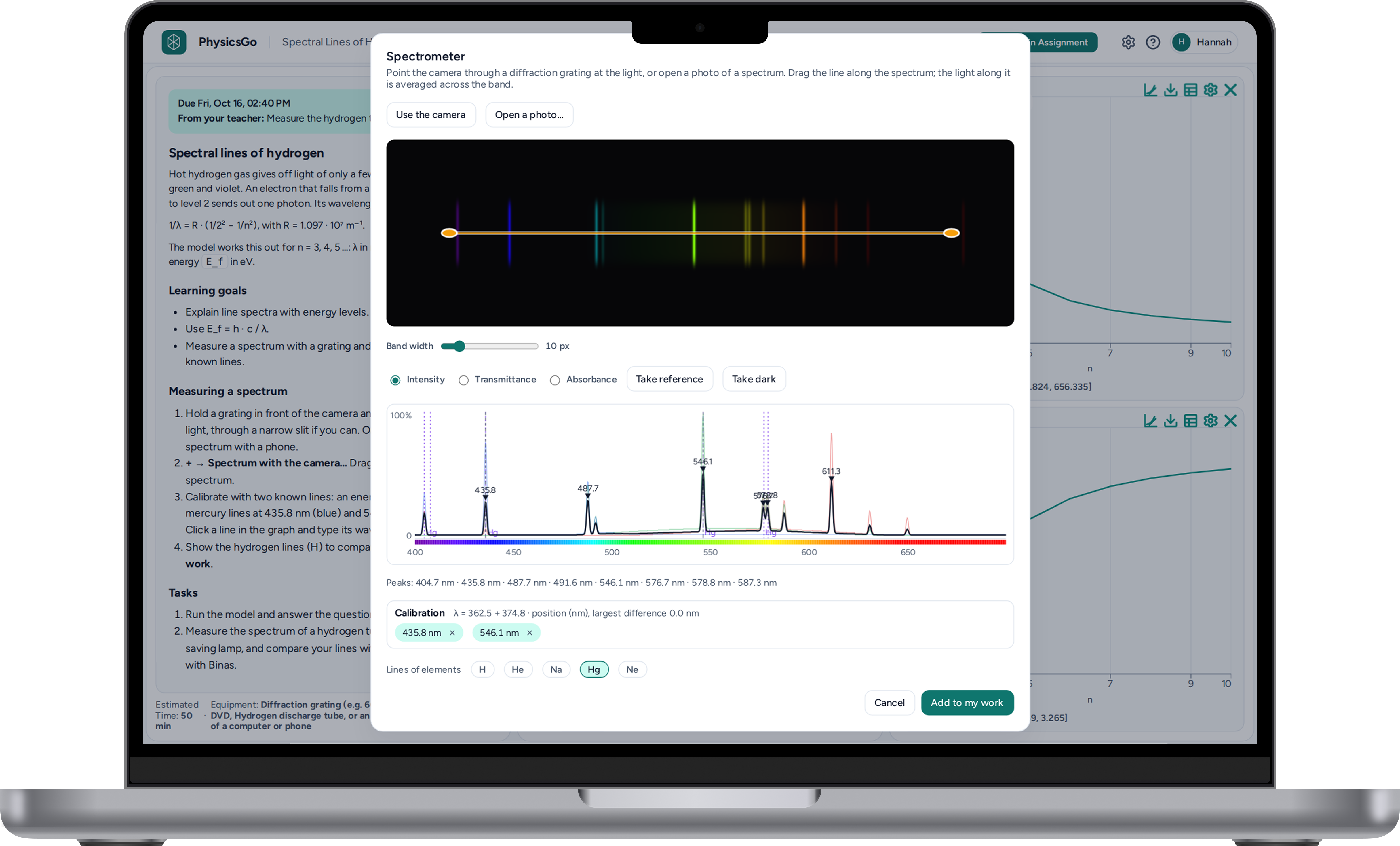
The built-in spectrometer reads a spectrum from the camera or a photo taken through a diffraction grating. Calibrate with known lines, read off the wavelengths and add the result straight to the assignment.

The spectrometer tool measuring a line spectrum, with the camera image, an intensity graph and calibration lines.